
Moving to a new home or location? One of the most important steps you must take is to update your address with the U.S. Postal Service (USPS) so your mail doesn’t get lost. USPS offers a quick and secure way to change your address online or in person.
This guide walks you through everything you need to know.
What Is a USPS Change of Address?
A USPS Change of Address (COA) is a request you submit to the United States Postal Service to forward your mail from your old address to your new one. This ensures:
- Important documents (bank statements, government notices, bills) are not lost
- You receive all packages and letters after moving
Types of Address Changes
| Type | Description |
| Permanent | USPS will forward mail to your new address permanently, and your address is updated in their system |
| Temporary | Used when you’re away for 15 days to 1 year for vacations, seasonal jobs, or school breaks |
| Family | One form for an entire household with the same last name |
| Individual | Used if only one person is moving from a shared address |
How to Change Your Address Online (Recommended)
Step-by-Step:
- Visit the official website:
moversguide.usps.com - Click “Start Your Change of Address”
- Choose whether the move is:
- Individual
- Family
- Business
- Individual
- Enter:
- Your old and new address
- Move date
- Whether the move is permanent or temporary
- Your old and new address
- Pay a $1.10 identity verification fee using a debit/credit card (USPS uses this to protect against fraud).
- Submit the form and receive:
- A confirmation email
- A USPS confirmation code (important for making edits later)
- A confirmation email
How to Change Your Address at the Post Office
Prefer in-person? You can also:
- Visit your local USPS branch
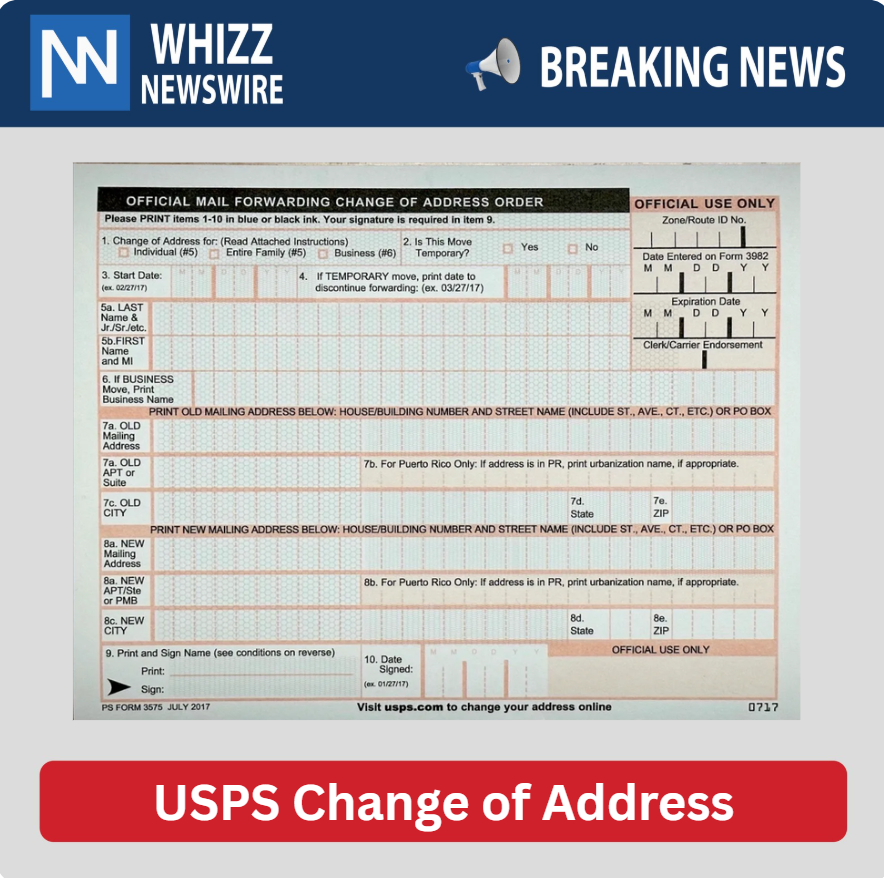
- Ask for Form 3575 (Change of Address form)
- Fill it out and drop it in the mailbox or hand it to a postal worker
No fee required when you file this form in person.
What Mail Gets Forwarded?
| Type of Mail | Forwarded? | How Long? |
| First-Class Mail | Yes | 12 months |
| Priority Mail & Express | Yes | 12 months |
| Magazines & Periodicals | Yes | 60 days |
| Packages (Retail Ground, Media Mail) | No | — |
| USPS Marketing Mail | No | — |
Tip: Update your address with banks, DMV, insurance, Amazon, IRS, etc. to avoid issues.
How to Edit or Cancel Your Change of Address
You can edit, cancel, or extend your request by:
- Visiting the USPS Change of Address website
- Entering your Confirmation Code (sent by email or letter)
- Making desired changes
Additional USPS Services After Moving
- Informed Delivery: Get previews of incoming mail to your new address
- Hold Mail: Temporarily stop mail delivery while you’re in transition
- Package Intercept: Redirect a package before it’s delivered
Beware of Fake USPS Websites
Many third-party websites pretend to be USPS and charge $20–$80 for address changes.
Avoid these!
Always use the official USPS website:
https://moversguide.usps.com
Final Thoughts
Changing your address with USPS is simple, fast, and secure. Whether you’re relocating temporarily or permanently, filing your Change of Address ensures your mail follows you without interruption. Don’t forget to also update your address with your bank, employer, and subscription services.
A few minutes today can save you weeks of lost mail headaches tomorrow.